Boost!FOR KUMANEKO
KUMANEKO PLUGINS / BOOST!

Make kumaneko
even more useful.

Advanced calendars, Gantt charts and reports that the standard features could not provide, plus email import and aggregation across multiple apps.
Boost! is a set of plugins that expands what you can do with kumaneko.

All plugins for 10,000 JPY per year (tax included)
The joy of building. Freedom for the people who use it. A little ingenuity, every day.
PLUGINS

The features you need, as many as you need.

Boost! plugins,
chosen to fit your purpose.

Calendar

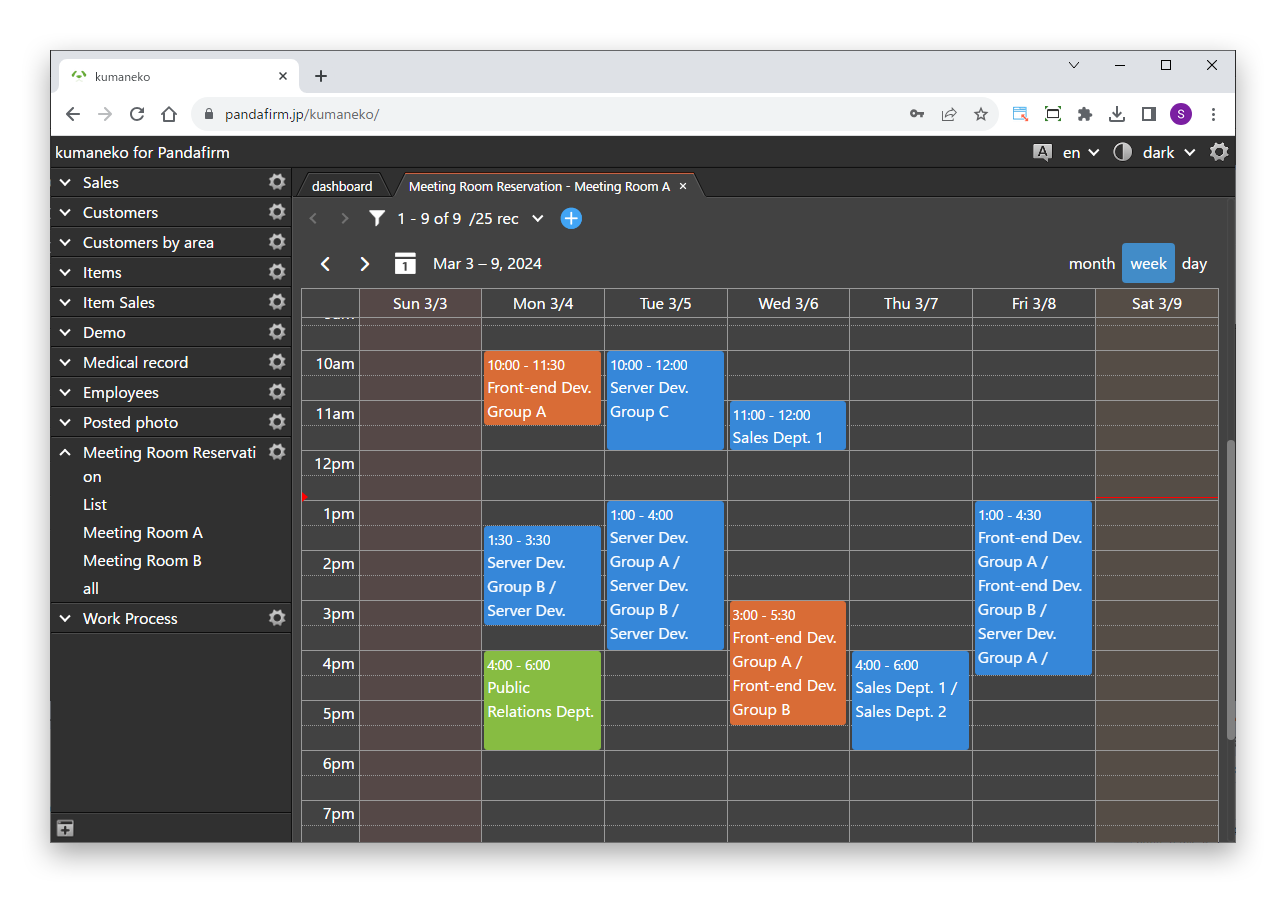
A calendar view built on FullCalendar. Switch between month, week and day views, and create records by clicking a date or dragging across a period. You can also move events and change their periods.

Learn more +

Gantt

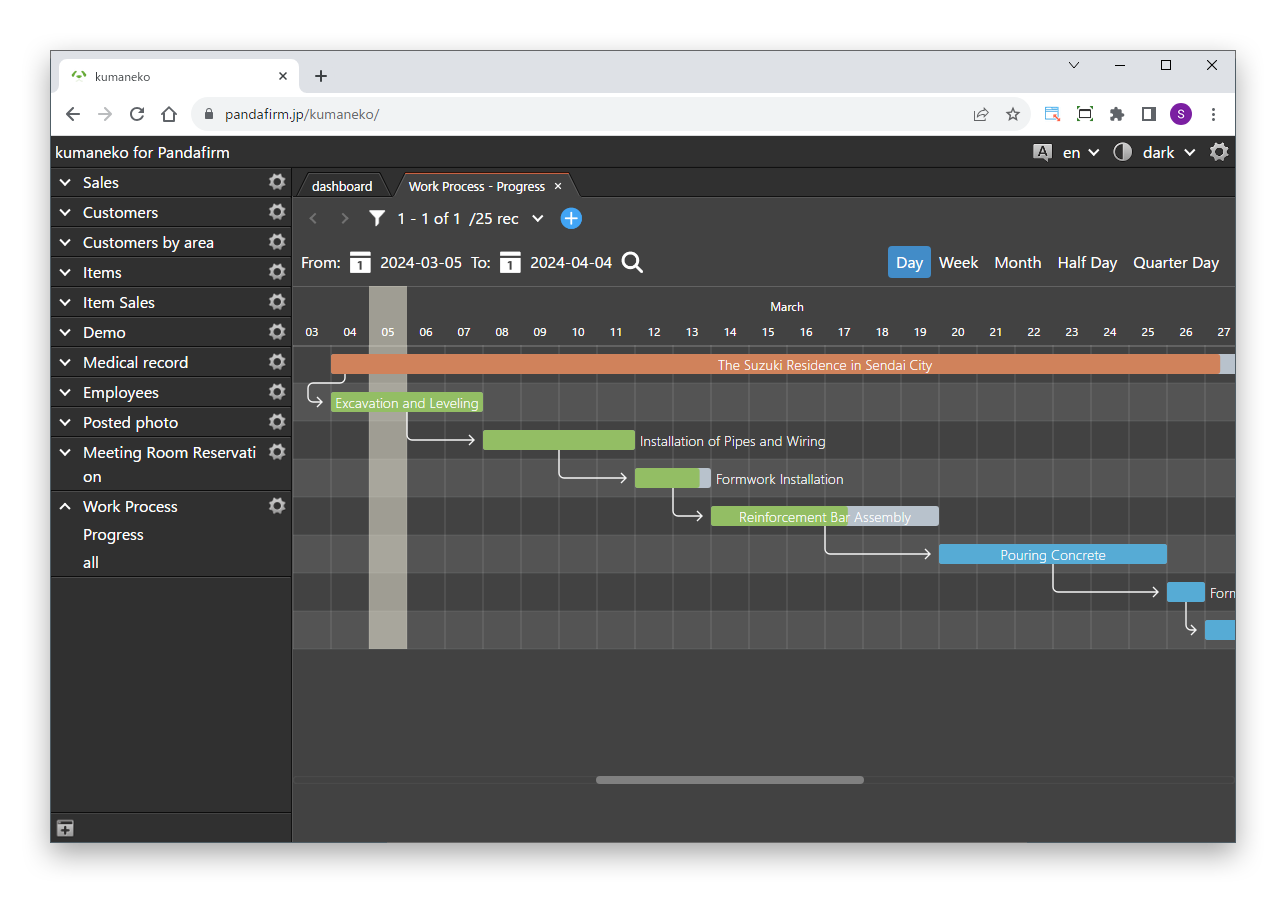
A Gantt chart view built on Frappe Gantt. Set up tasks and subtasks, and adjust start dates, end dates and progress by dragging.

Learn more +

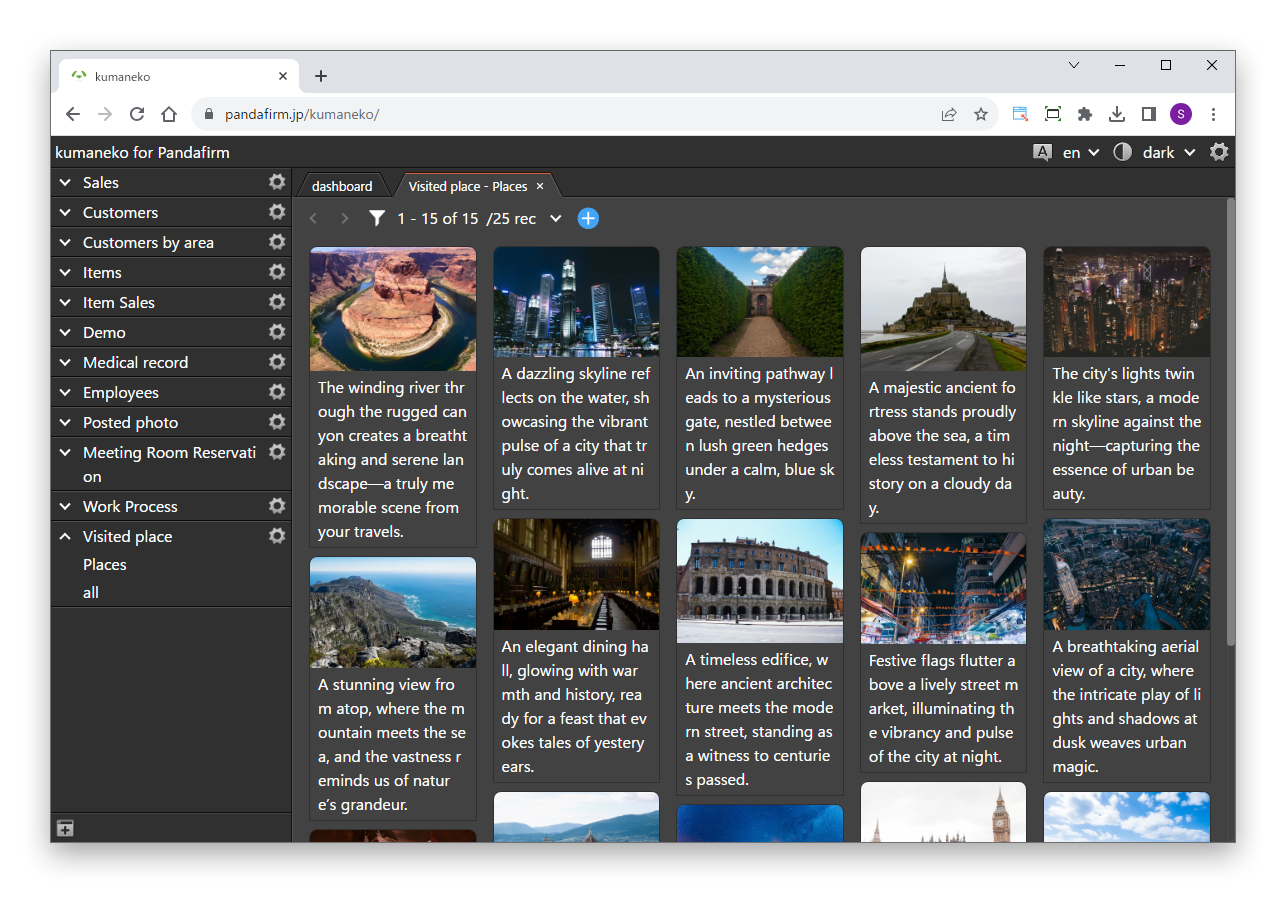
Gallery

A photo gallery view that displays images stored in records as a list of thumbnails. You can check the contents of each record from its image.

Learn more +

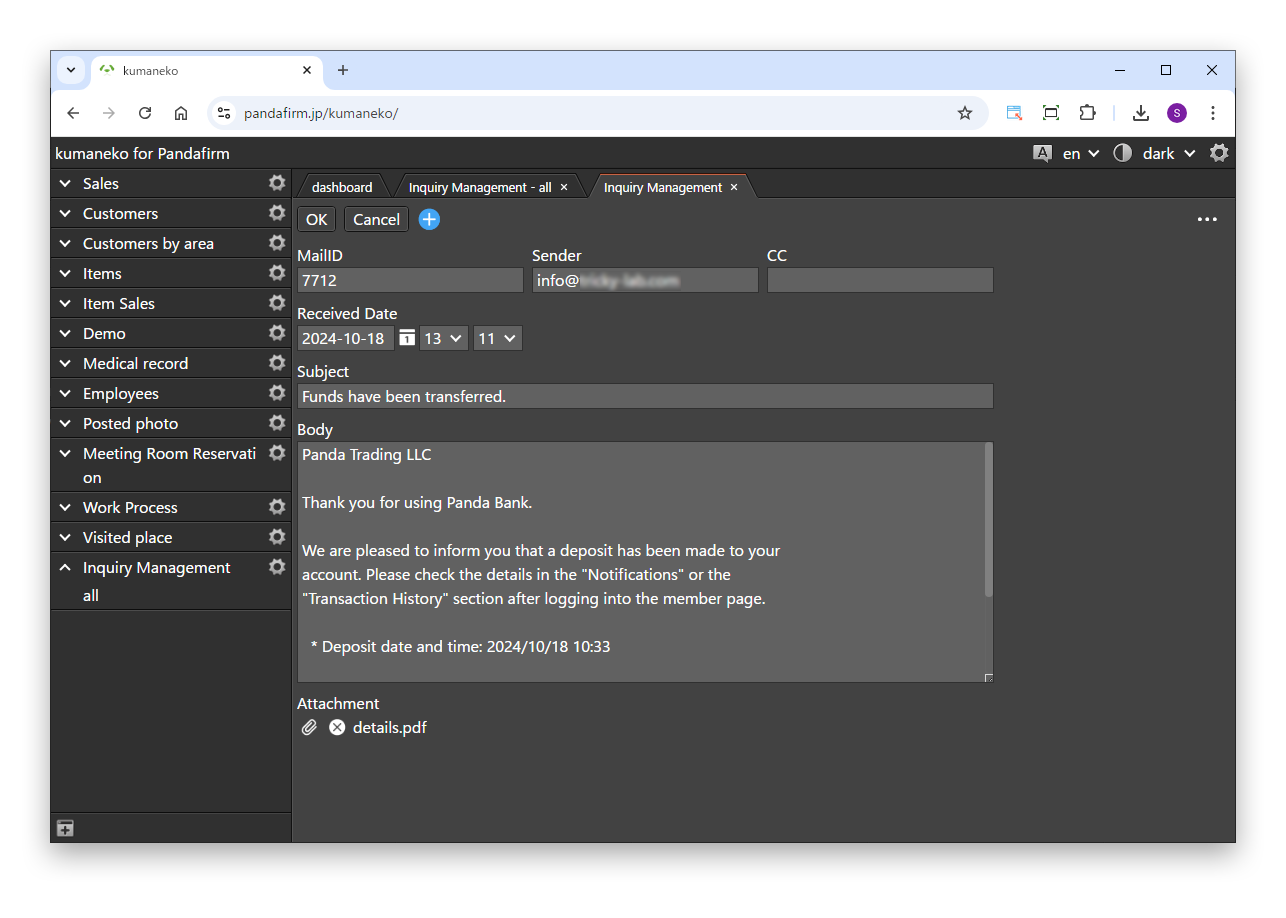
IMAP

Imports received email from a specified mail account, so you can manage email correspondence in one place with your kumaneko apps.

Learn more +

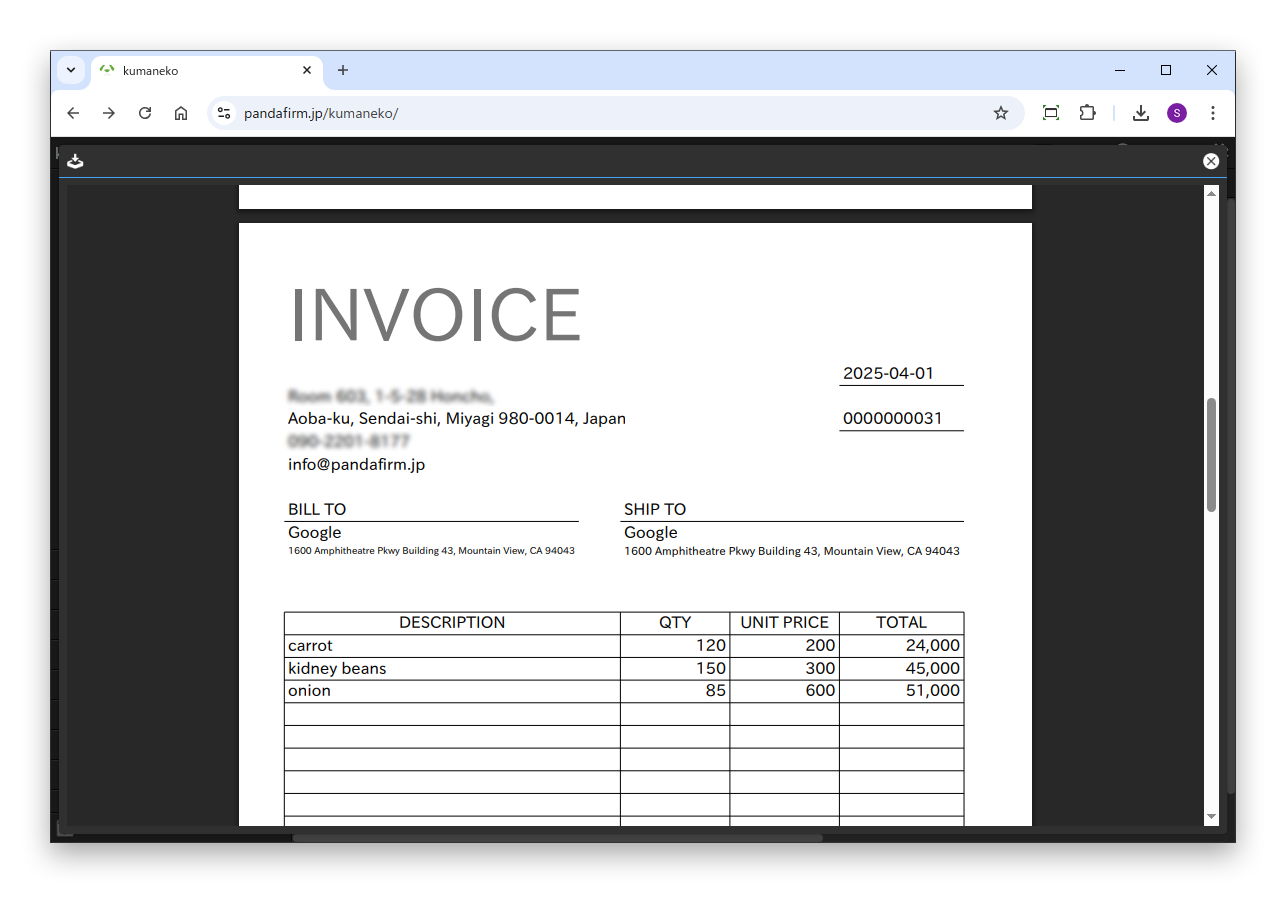
Report

Create templates in a dedicated report layout tool and output them as PDFs. Linked with an action by button click, it creates the PDF and sends it by email at the same time.

Learn more +

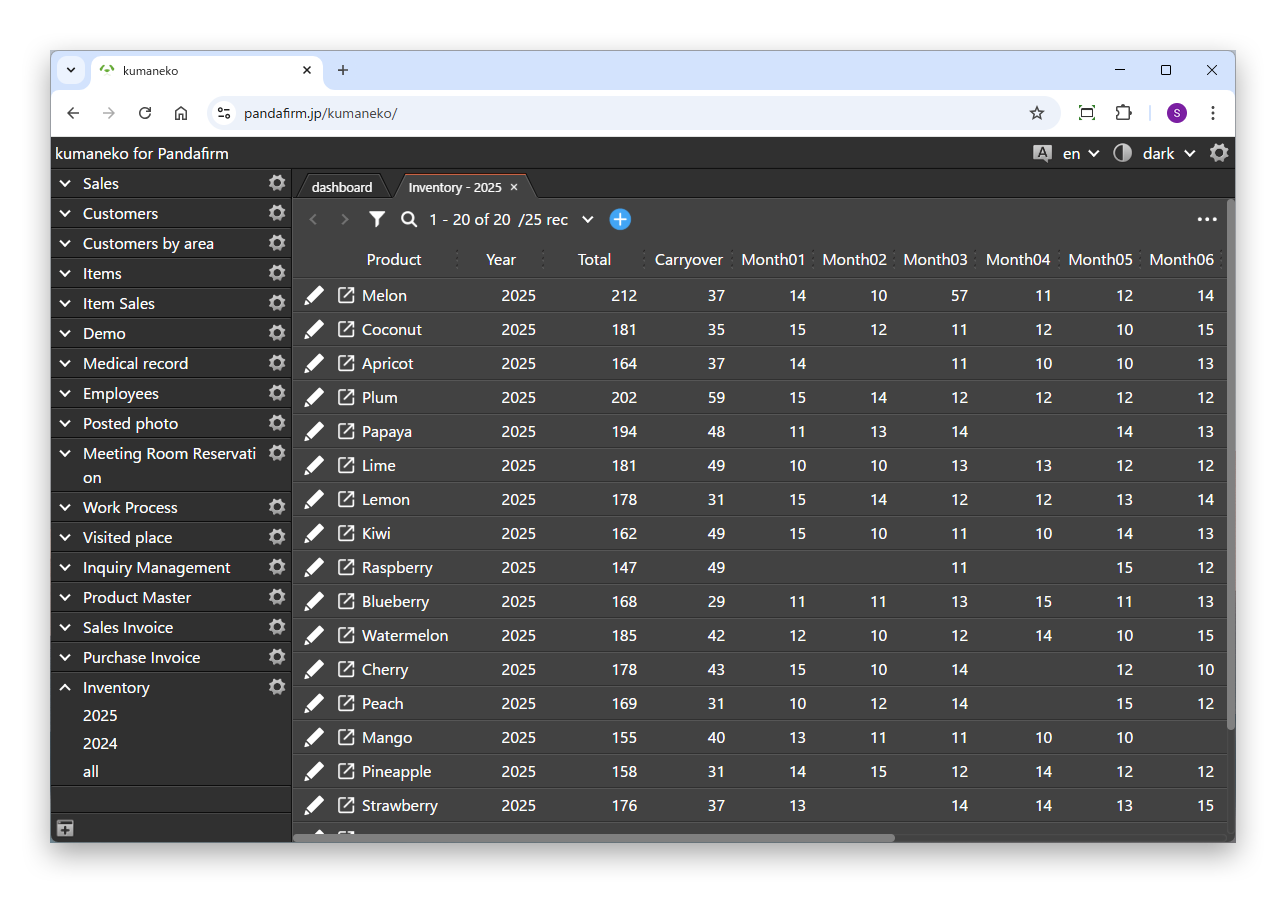
Monthly Balance

Aggregates monthly totals for a specified year for each client or product. The January to December values are registered in a single record, so you can see trends in inventory or receivables at a glance.

Learn more +

Fusion

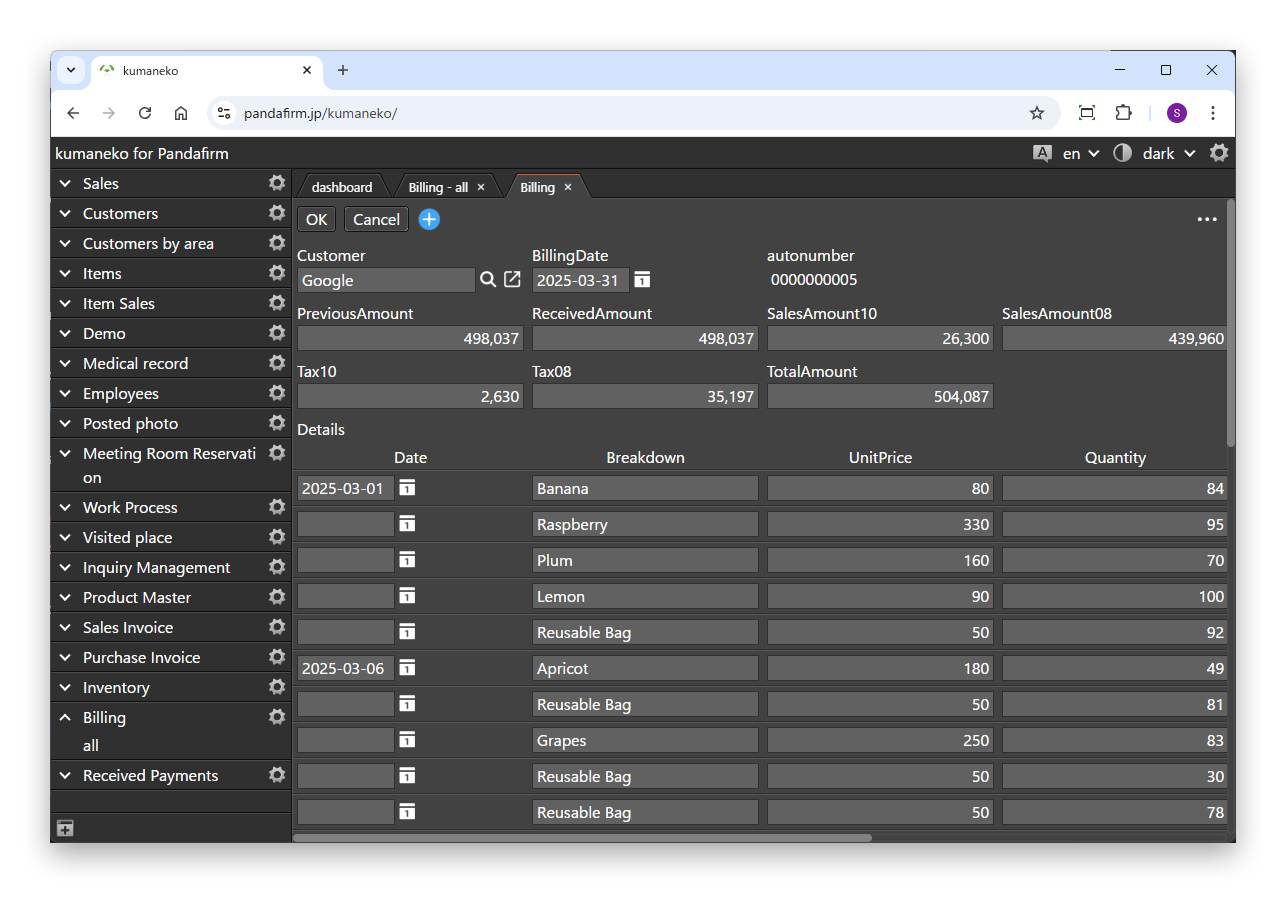
Collects detail lines for a specified period from multiple apps based on your client master, and creates report records such as invoices and payment instructions in one batch. You can also set field mappings, sort order and carry over the previous amount.

Learn more +

Summary Fusion

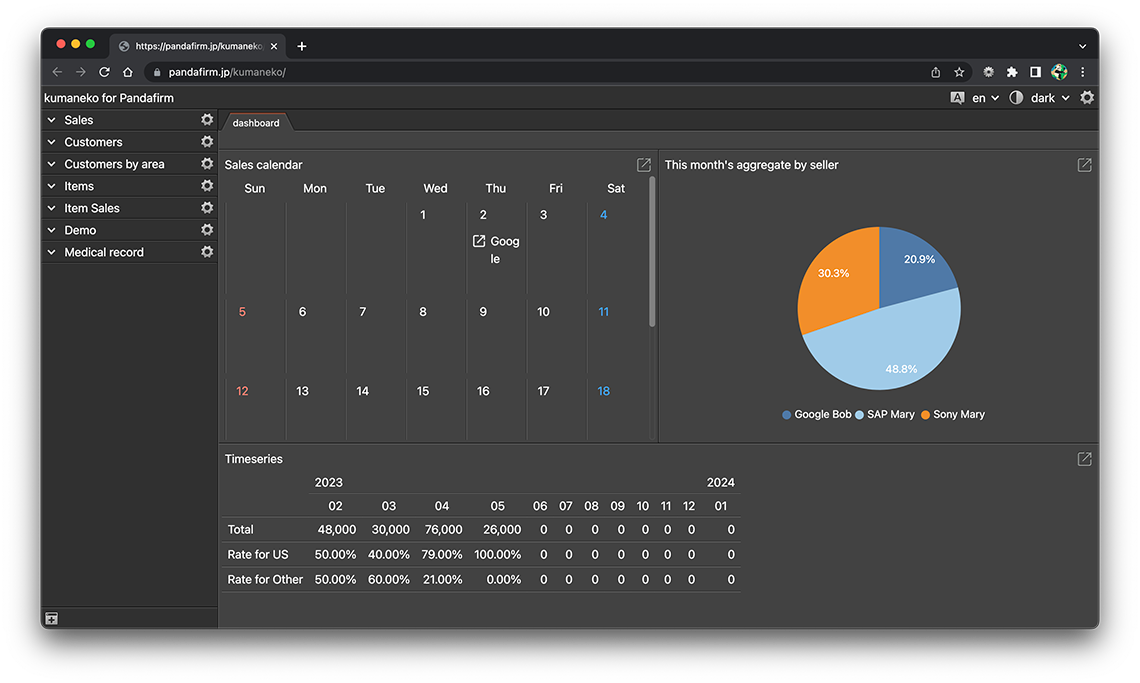
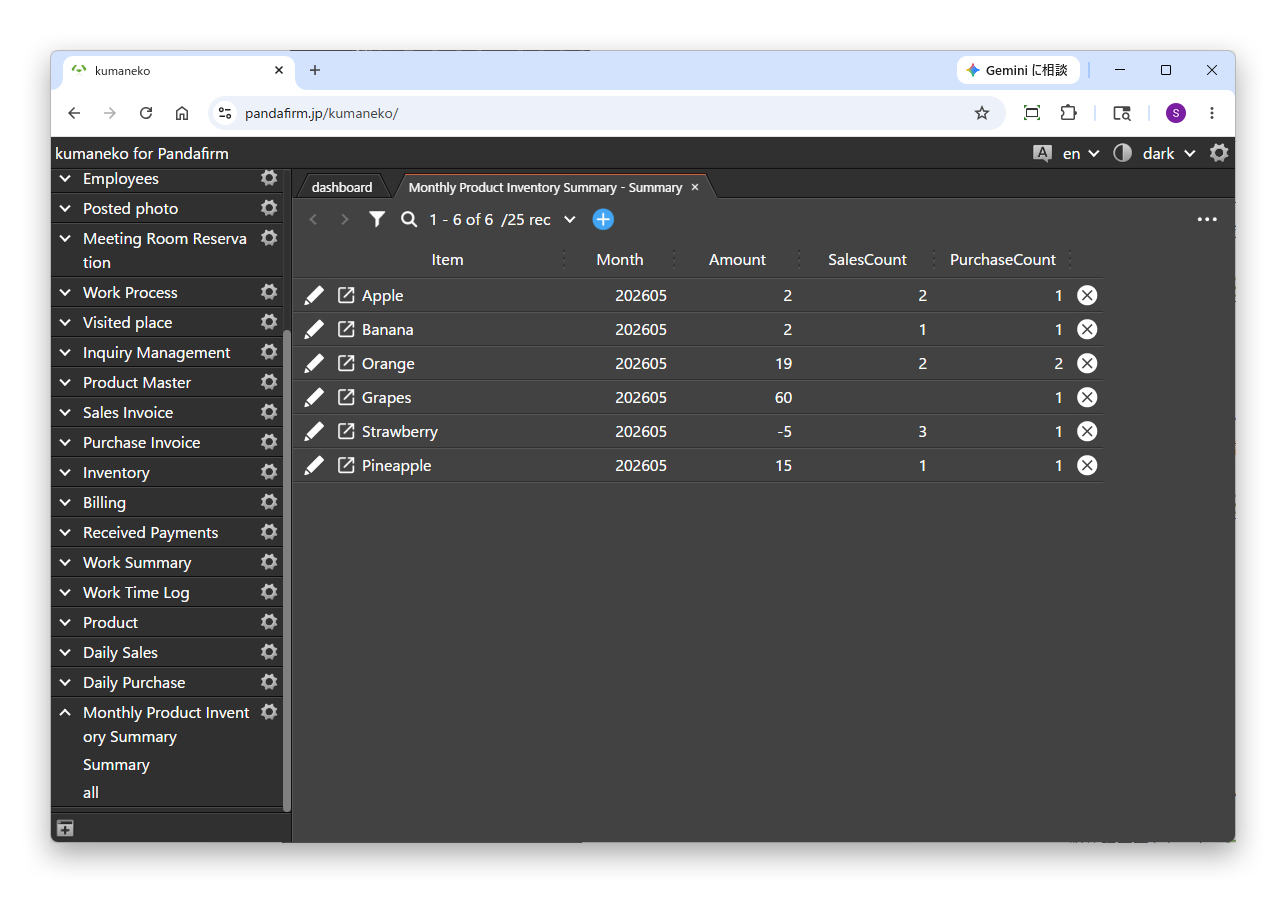
Aggregates records from multiple apps and registers the results. Besides summing numbers, it can count matching records and table rows, so you can build data for inventory and workforce management.

Learn more +
GET STARTED

Configure, then add to your apps.

Boost! plugins are configured in the "console", a web-based management screen provided for each user. Choose the plugin you want, configure it, and download the program to import into kumaneko.

01

Prepare the app configuration file
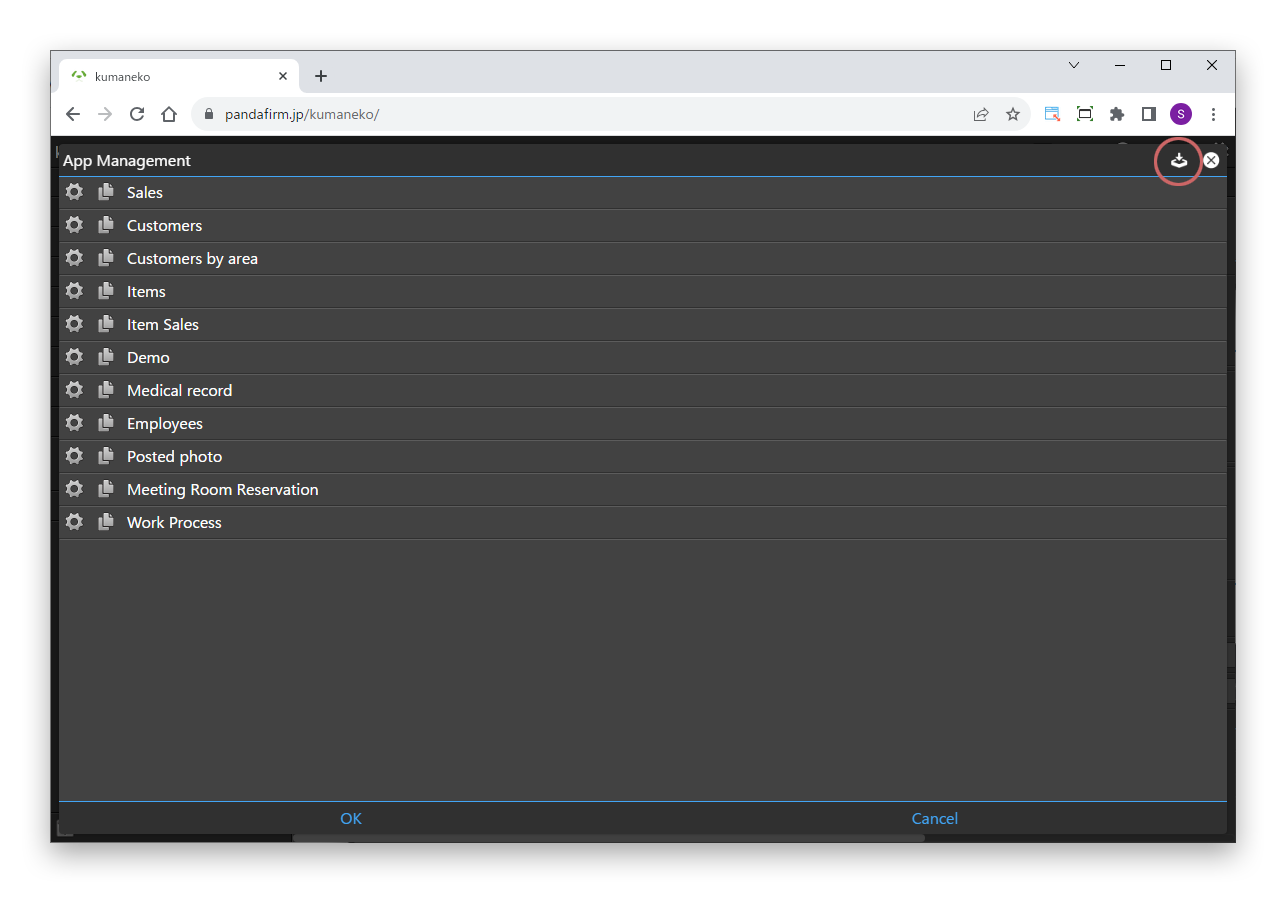
To open a console, you need an email address and the kumaneko app configuration file. You can download the app configuration file from the App Mgmt screen of the kumaneko where you will use the plugins.

Displaying the App Mgmt screen +
02

Apply for a console

After downloading the app configuration file, enter your user email address below and click "Send registration email". An email with a URL for registering your user information will be sent to that address, so please make sure it is correct.

By clicking "Send registration email", you agree to our Privacy Policy.

03

Register your user information

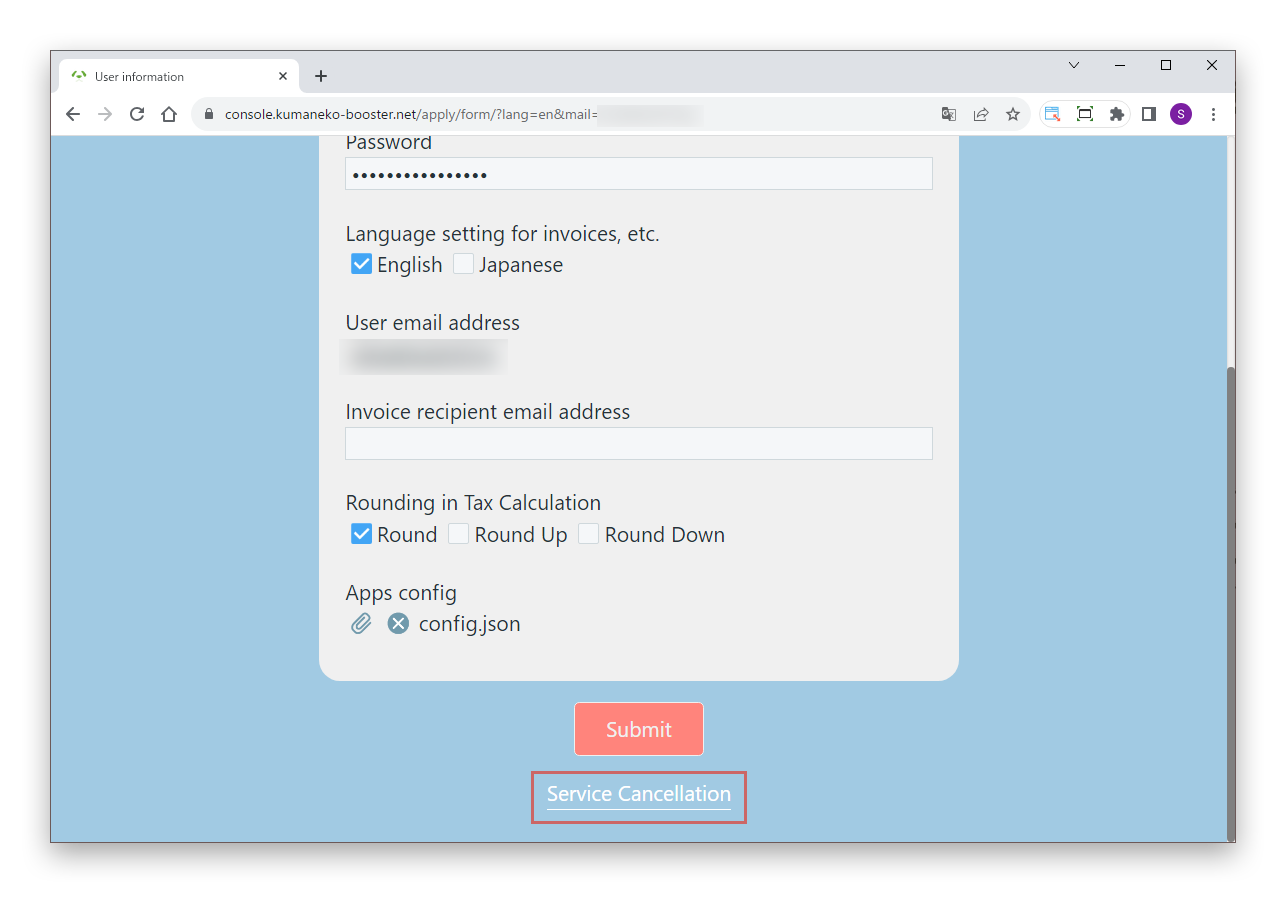
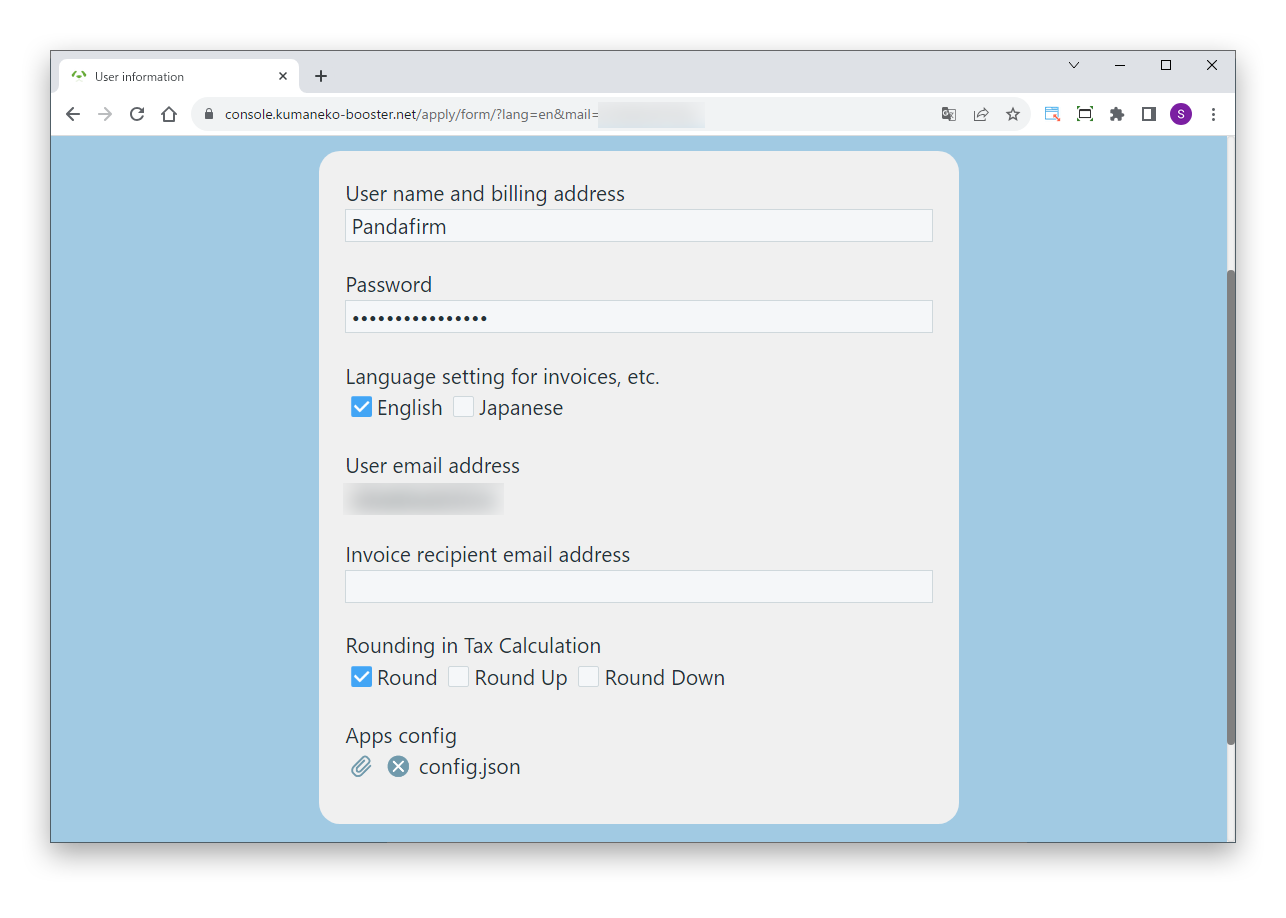
When the email arrives, open the URL in it. When the user information screen appears, enter your user name and password, and upload the kumaneko app configuration file. If you want invoices sent to a different address, also enter the invoice recipient email address.

When everything is entered, click the "Submit" button. Your console is opened and the screen switches to it. The console URL is also sent to you by email when registration is complete. You will need your registered password and user email address to log in to the console again.

04

Configure a plugin

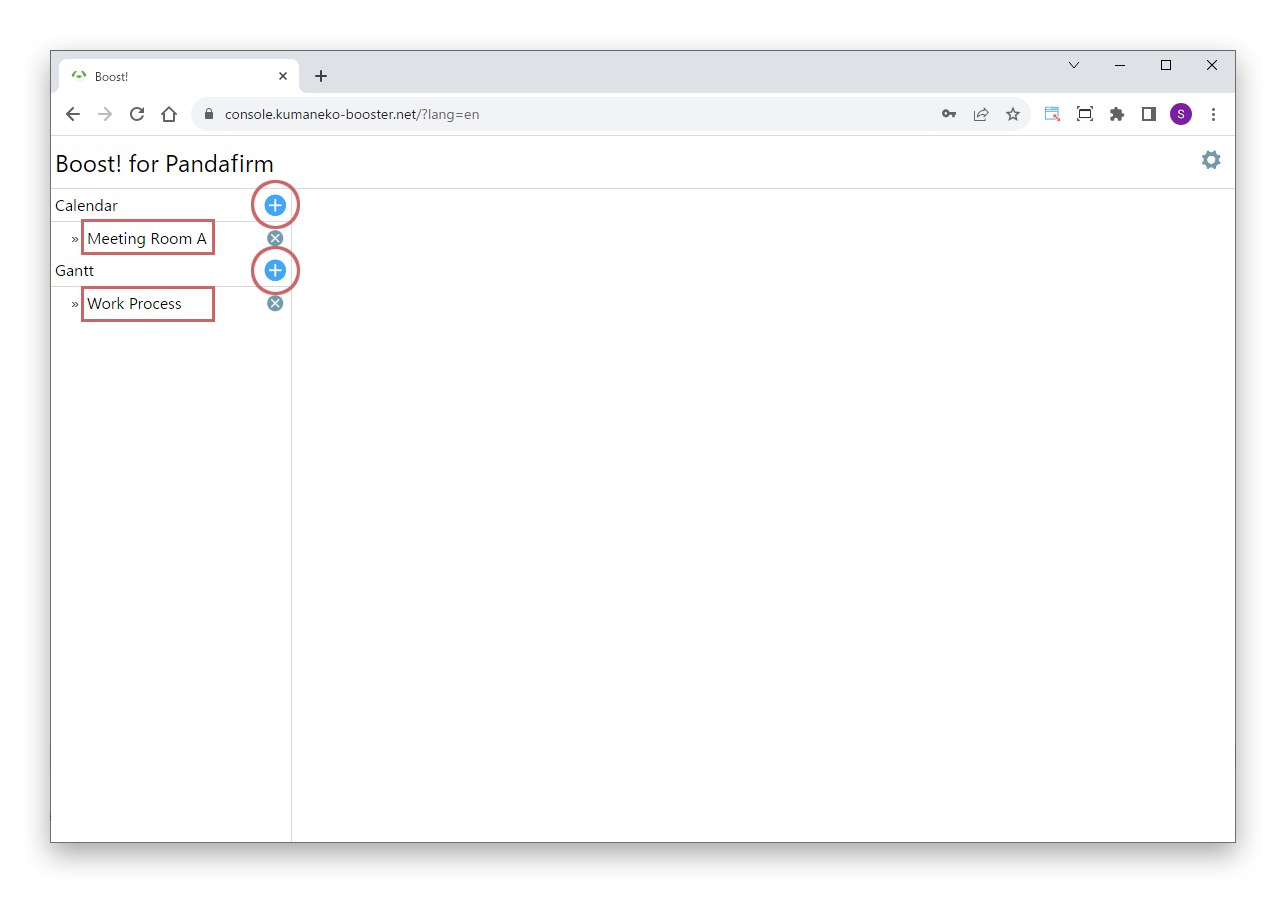
When the console appears, click the add button (round red frame) to the right of the plugin you want to use. To edit an existing setting, click the setting name (square red frame); to delete it, click the "×" to the right of the setting name.

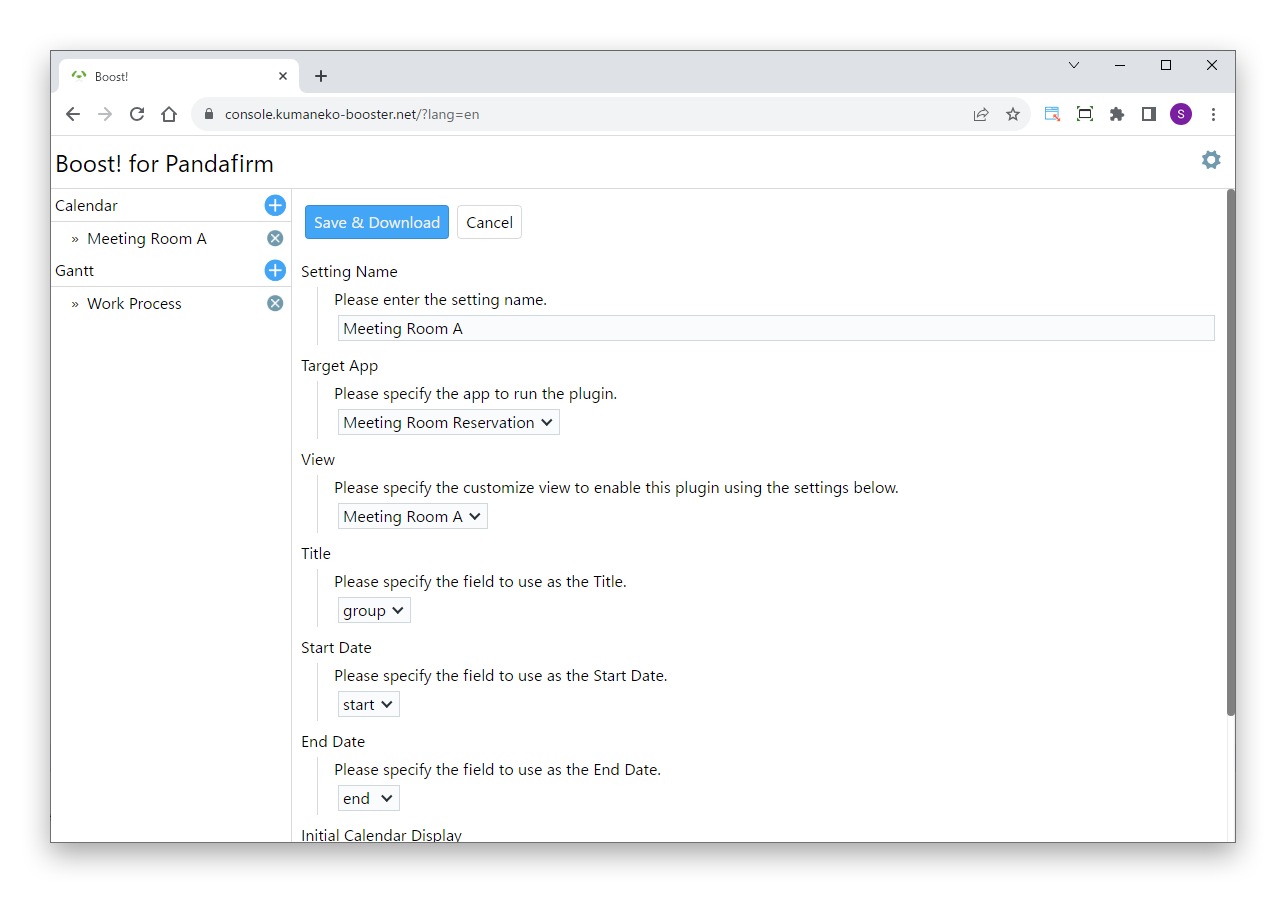
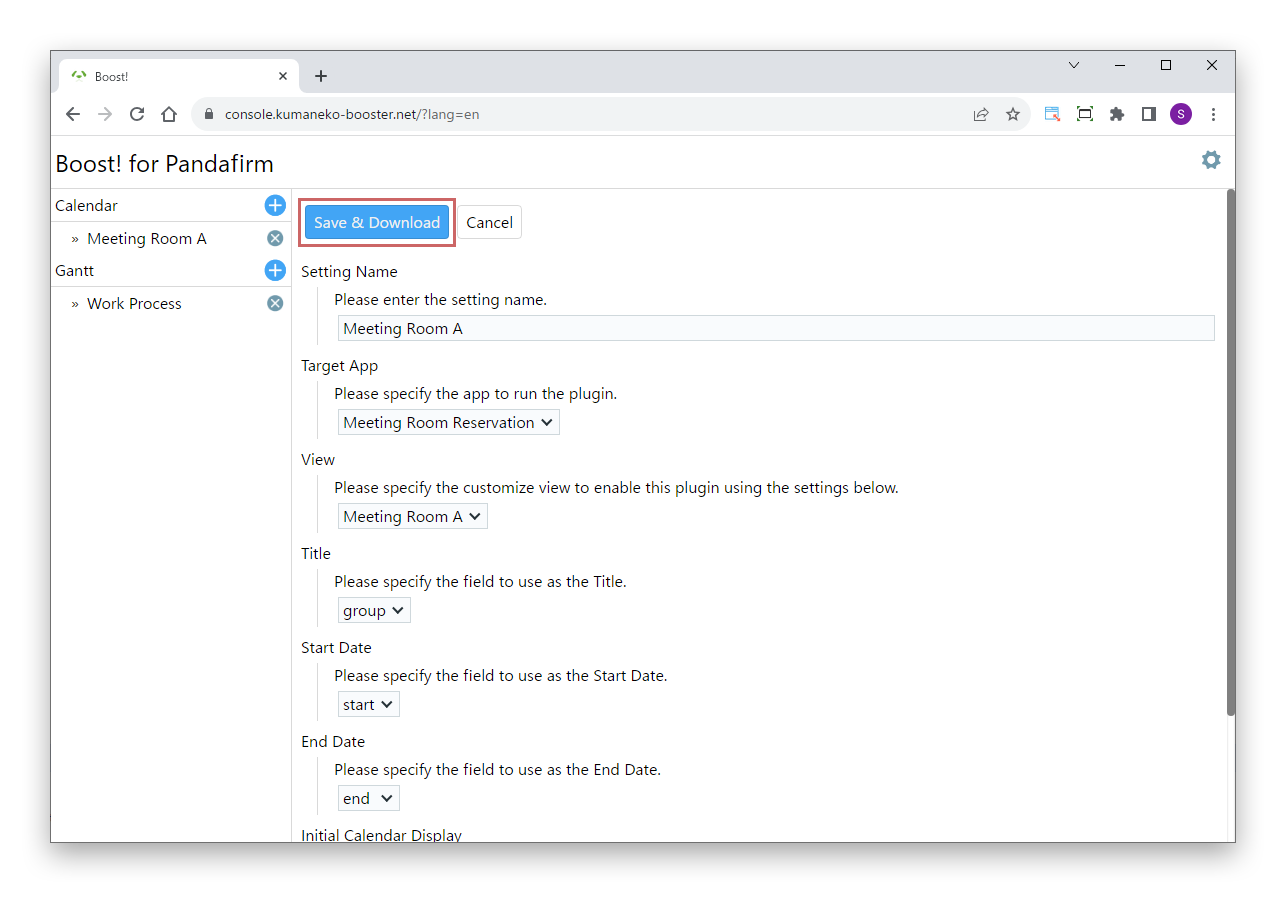
When the plugin settings screen appears, follow the on-screen guidance to enter values and choose items, then click the "Save & Download" button.

05

Save and download

Click the "Save & Download" button to save the settings and download the program file in zip format. The zip file is named after the Setting Name you entered. When you edit an existing setting, a new program file based on the updated settings is downloaded.

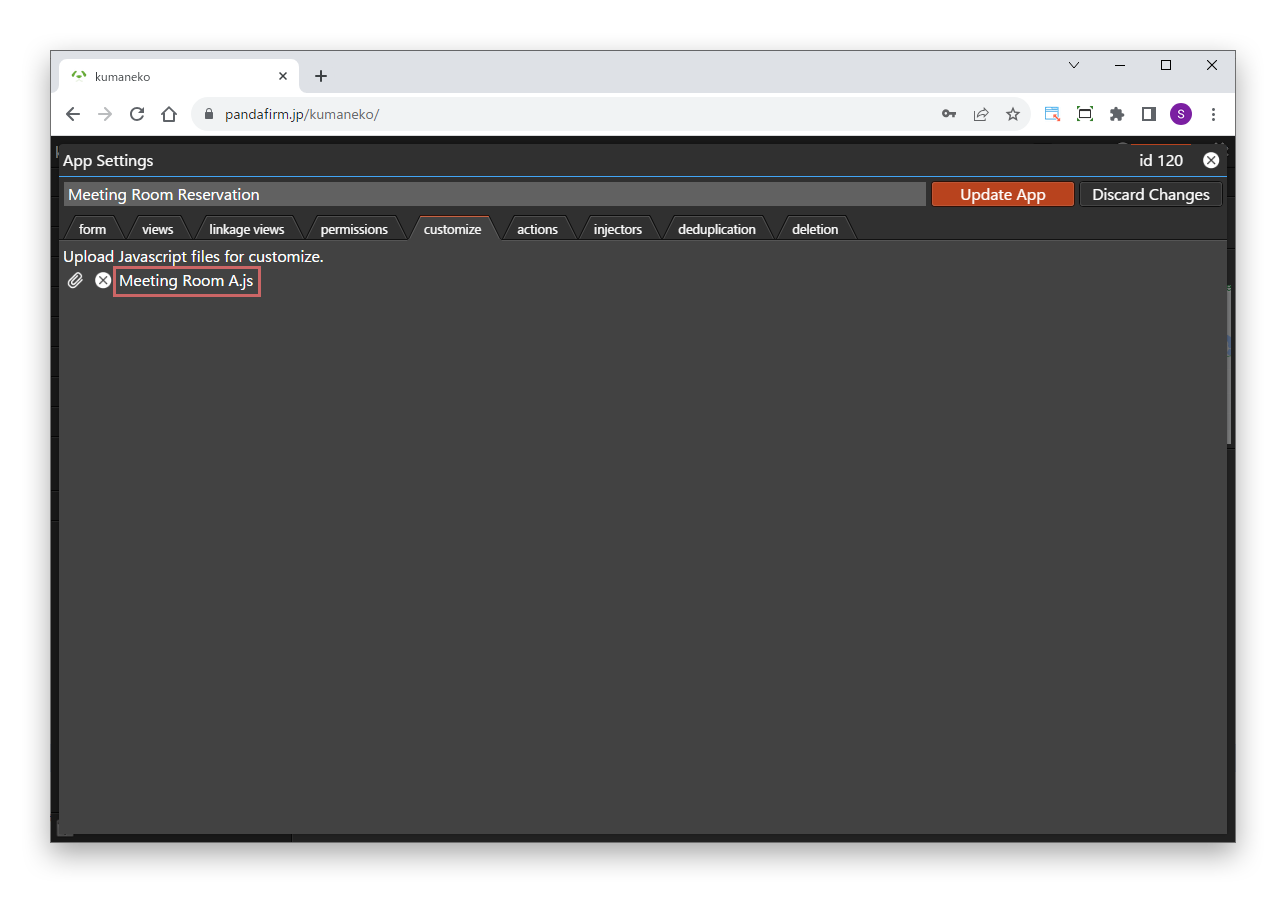
Extract the downloaded zip file and import the JavaScript file inside into kumaneko, and the plugin is ready to use.

Customizing kumaneko +
06

Change your user information

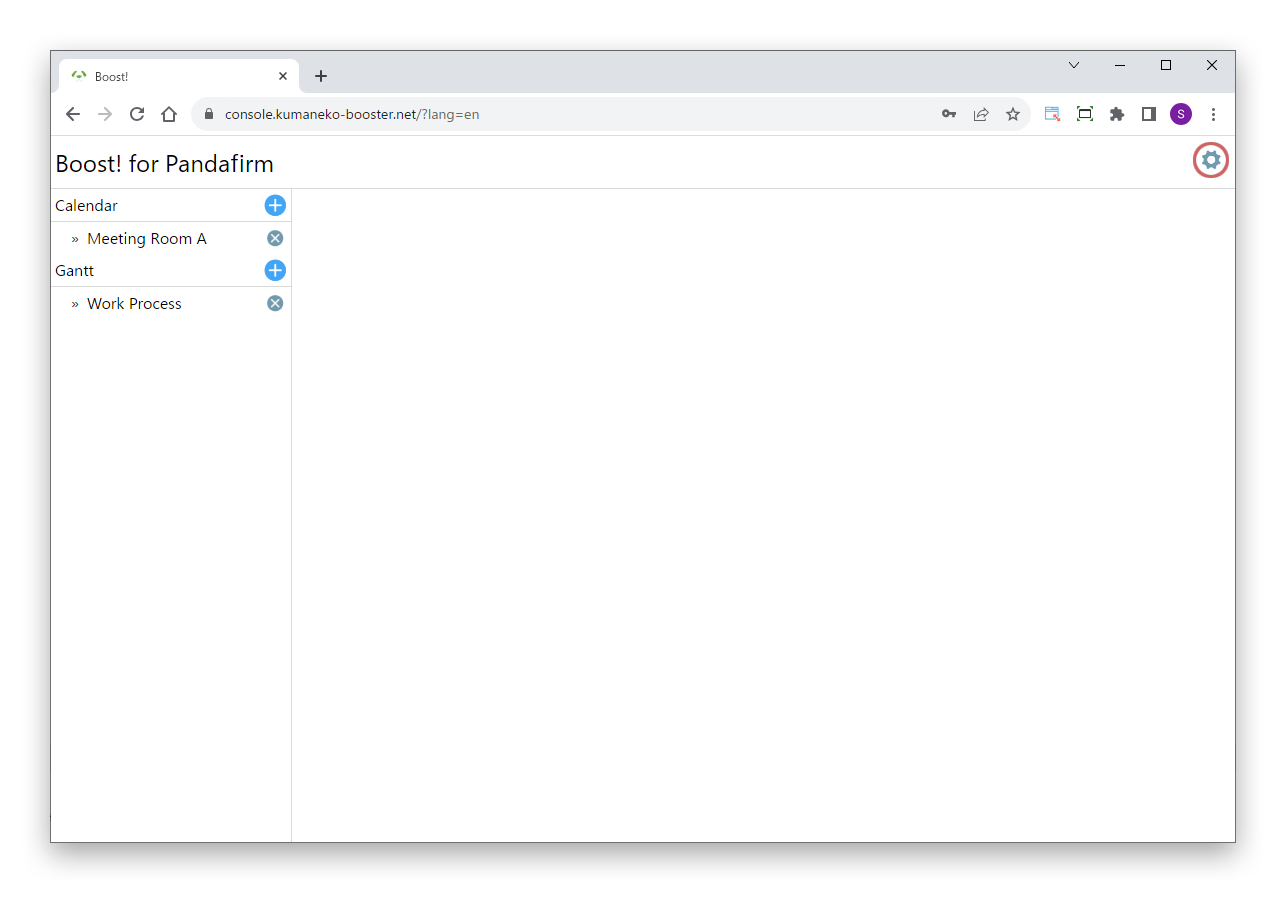
To change the invoice recipient email address, or to upload the app configuration file again after changing your app structure, open the user information screen from the gear button in the console. You can also make changes from the URL in the email sent after your console is opened.

07

Check where you can use it

The user email address registered when applying cannot be shared across multiple kumaneko environments. If you try to use the same plugins in a different kumaneko, a warning is displayed. In that case, open a new console with a different email address.

08

Cancel the service

To cancel, click the "Service Cancellation" button at the very bottom of the user information screen. After cancellation, the plugins installed in kumaneko can no longer be used.

LICENSE

Every plugin, one license.

There is one license for all of Boost!, not one per plugin. Once user registration is complete, you will be billed whether or not you use the plugins.

Annual license 10,000 JPY/year (tax included)

Includes all plugins. Renewed every year.

Trial period
Up to 2 months (the month you start and the following month)
Payment methods
Bank transfer or credit card

At the end of the month following your start month, we will email you asking you to purchase a one-year license beginning two months after your start month. From the second year onward, we will send the renewal notice at the end of the same month each year.

APPLICATION

Information you register when applying

User name and invoice addressee Used mainly as the addressee on invoices. For a company, please register the company name.
Password Used when changing your user information or logging in to the console again.
Language setting for invoices, etc. The language used for invoices and similar documents. The language of the page from which you applied is set as the default.
Rounding in Tax Calculation Choose how fractions are handled when calculating consumption tax on invoices, from "Round", "Round Up" and "Round Down".
User email address The email address that identifies the user. If it is already registered, a notice is displayed.
Invoice recipient email address If not specified, invoices are sent to the user email address. Register one if you want to receive billing notices at a different address.
Apps config Upload the app configuration file of the kumaneko where you will use the plugins. You need to upload it again when you change the app structure or add apps.
PURCHASE INFORMATION

Disclosures under Japan's Act on Specified Commercial Transactions

Business operator PANDA SHOKAI, LIMITED LIABILITY COMPANY
Representative Suguru Suzuki
Address 1-5-28-603 Honcho, Aoba-ku, Sendai, Miyagi, Japan
Telephone +81-90-2201-8177
We do not accept inquiries by telephone. Please use "Contact" at the bottom of this page.
Website https://kumaneko-booster.net/en/
Contact Please use "Contact" at the bottom of this page.
Prices See the "License" section on this page.
Additional fees Bank transfer fees are the customer's responsibility.
Payment methods Bank transfer or credit card
For bank transfers, please pay by the date shown under "TERMS" on the invoice.
Delivery After registering your user information, you can download and use the plugins from the console right away.
Operating environment kumaneko (we recommend using the latest version)
Cancellations and refunds Use the "Service Cancellation" button on the user information screen.
No refunds are given for cancellations during the license period, including prorated refunds.
PRIVACY POLICY

Privacy Policy

PANDA SHOKAI, LIMITED LIABILITY COMPANY ("we", "us" or "our") sets out this Privacy Policy for the handling of personal information collected through "Boost!", our plugins for kumaneko, and related web services (the "Service").

01

Information we collect

In providing the Service, we collect the following information.

  • Email addresses (including those registered at user registration and as invoice recipients)
  • User name
  • kumaneko app configuration file
  • Plugin settings saved in the console

When a PDF is created with Boost! Report, our server receives the record values and images to be printed on the report. This data is used only to create the PDF and is not kept on the server afterwards.

02

How we use the information

We use the collected information only for the following purposes.

  • Providing and managing the console
  • Creating plugin programs
  • Managing licenses and billing usage fees
  • Sending important notices about the Service
  • Notifying you of changes to this Privacy Policy
  • User support
03

Disclosure to third parties

We do not provide or disclose the personal information we collect to third parties, except in the following cases.

  • With the user's consent
  • When required by law
  • When necessary to protect a person's life, body or property
04

Protection of information

We take appropriate technical and administrative measures to keep the personal information we collect secure. However, data transfer over the internet cannot be guaranteed to be completely secure.

05

Cookies and analytics

The Service may use cookies for access analytics. The data collected does not include information that identifies individuals.

06

Retention of personal information

We keep the personal information we collect for as long as necessary to provide the Service. While you continue to use the Service, we keep the related information. If payment of the usage fee cannot be confirmed by the specified due date, we delete the registered information.

07

Disclosure, correction and deletion

Users may request disclosure, correction or deletion of their own personal information held by us. To make a request, please use "Contact" at the bottom of this page.

08

Changes to this Privacy Policy

We may change this Privacy Policy as necessary. Changes are posted on this site and take effect when posted.

09

Contact

For questions or requests about this Privacy Policy, please use "Contact" at the bottom of this page.